

Genius Tax Software New Useful Feature of E-mail/WhatsApp

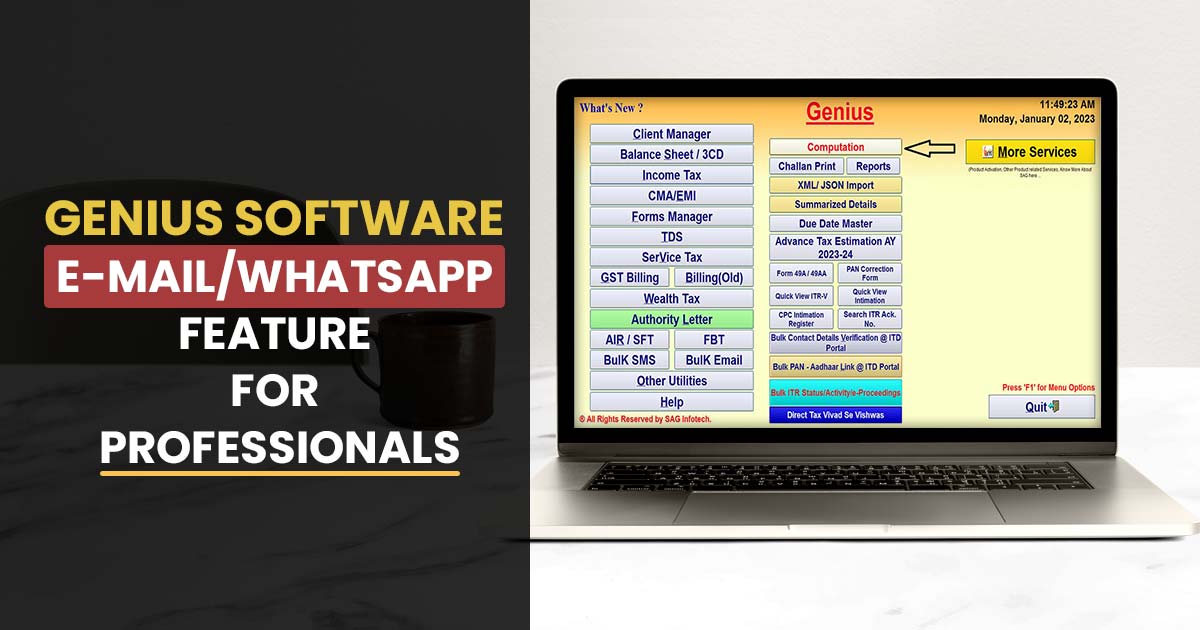
What is an Email Functionality?
Email functionality refers to the features and capabilities of email systems that allow users to send, receive, and manage email messages.
Genius Software E-mail/WhatsApp Functionality
Genius software is a comprehensive tool that streamlines and enhances business operations. One of its main features is its email functionality, which offers several tools and capabilities for managing email communication efficiently.
Users can create and send emails, track email responses, and manage email campaigns all from one central location using the software. In its intuitive interface, users can easily create and customize email templates, add attachments, and personalize messages.
As a whole, ‘Genius email functionality’ provides an efficient and user-friendly solution to managing email communications in businesses of all sizes.
Features of Genius Tax Return Software
The application provides many features such as bulk e-filing, quick uploads with ITD web services,
MIS reports and return forms are stored in it
XML-based e-filing is available for ITR forms 1, 2, 3, 4, 5, 6, 7
A PAN correction form can be generated and submitted online
It also gives convenience to verification of PAN online
Preparation of schedules and lists automatically
Verification of bulk contact details through the ITD portal
By using the CPC intimation register, you can view all intimations from your e-mail address
Step-by-Step Procedure of E-mail/WhatsApp Functionality in Genius Software
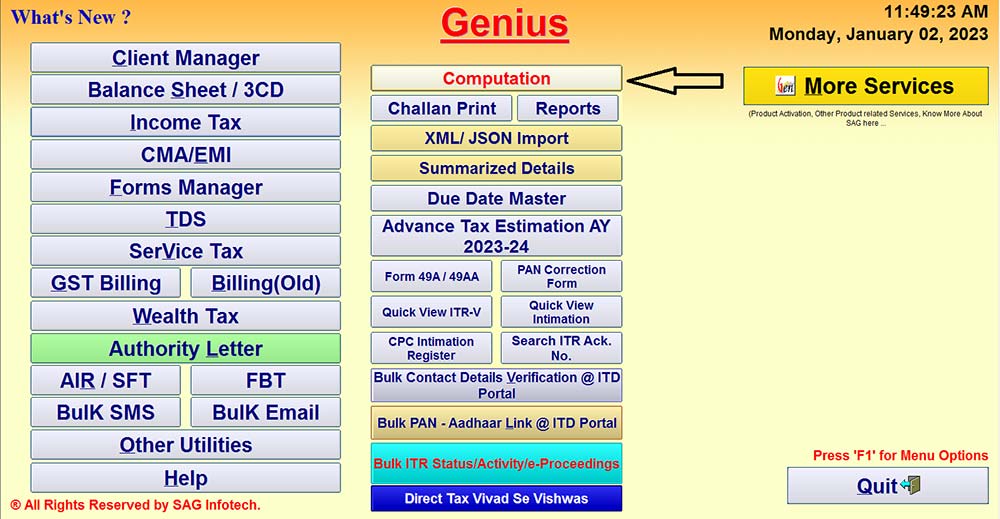
Step 1:- First Install Genius Tax Return Filing Software on your desktop or PC, then click Income Tax.
Step 2:- Now click on Computation.
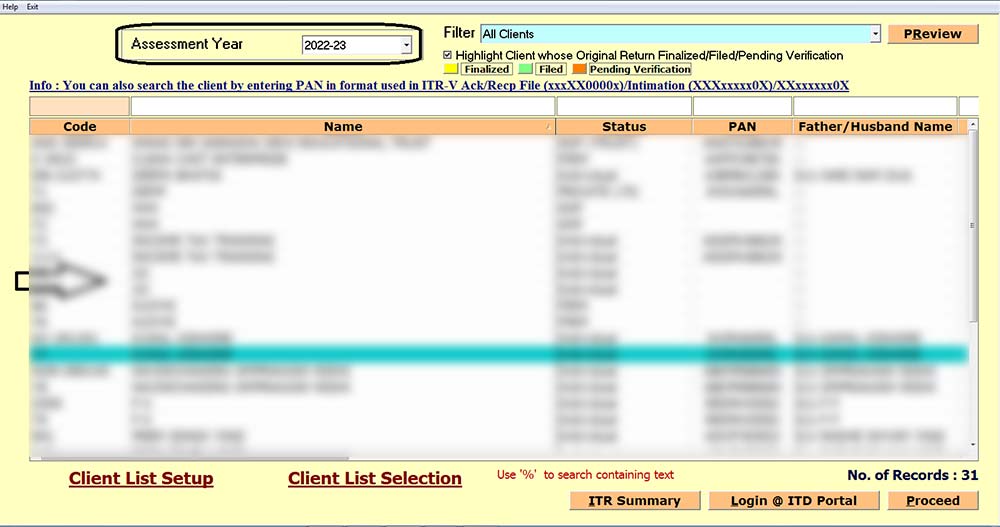
Step 3:- Select the Assessment Year and the Client.
Step 4:- Go to the E-mail/WhatsApp tab to send the mail.
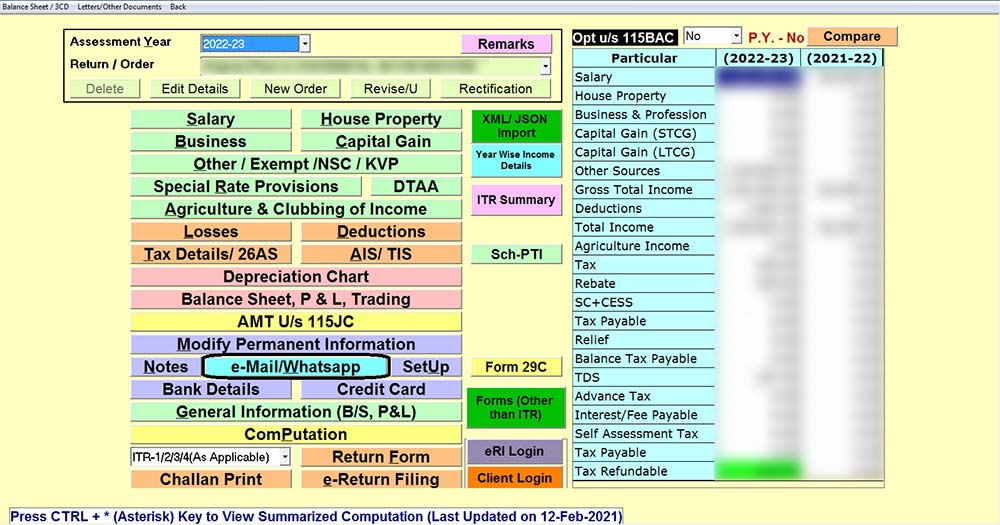
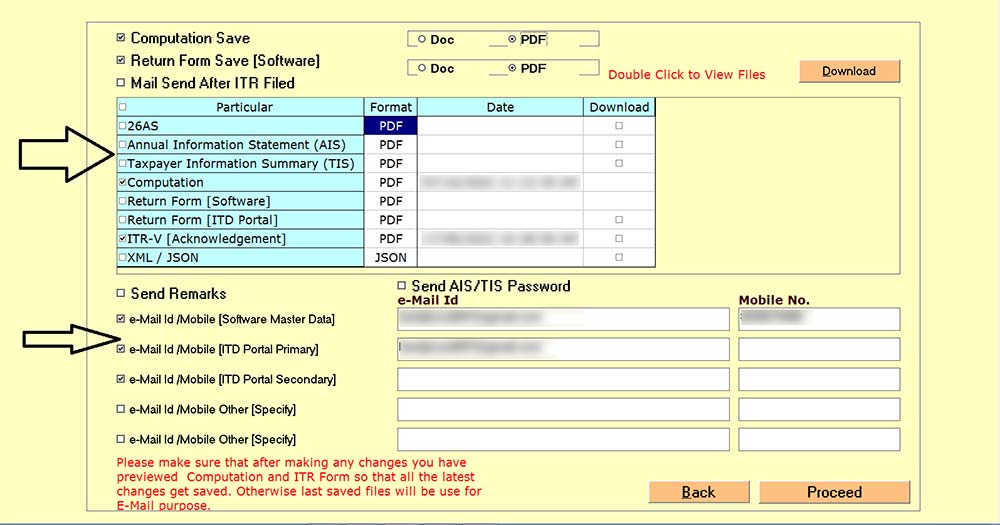
Step 5:- Select the Particular of which you want to send the mail, mention the mail ID and click on the proceed button.
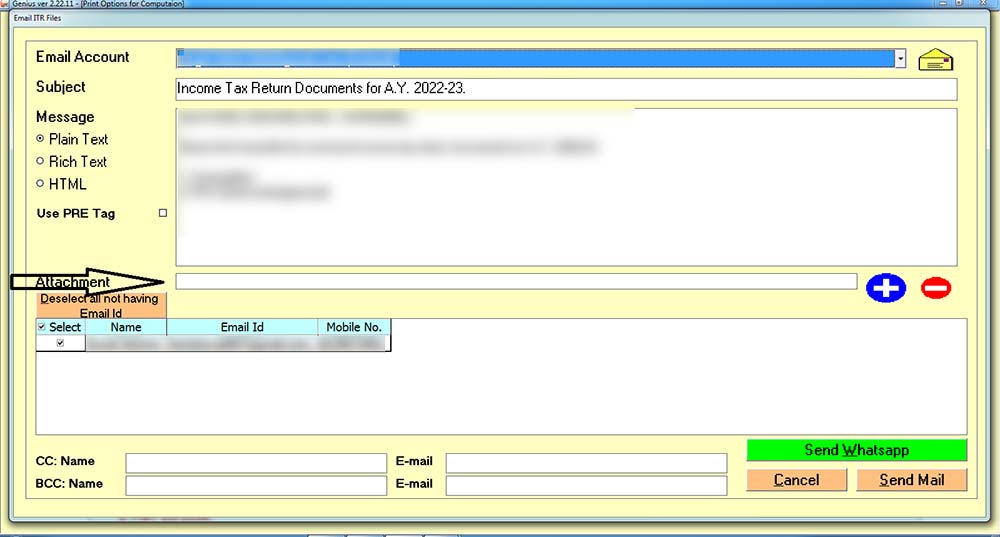
Step 6:- After clicking on the proceed button next window will appear. If you want to attach any other attachment then you can do so by clicking on the attachment tab and then clicking on Send Mail.
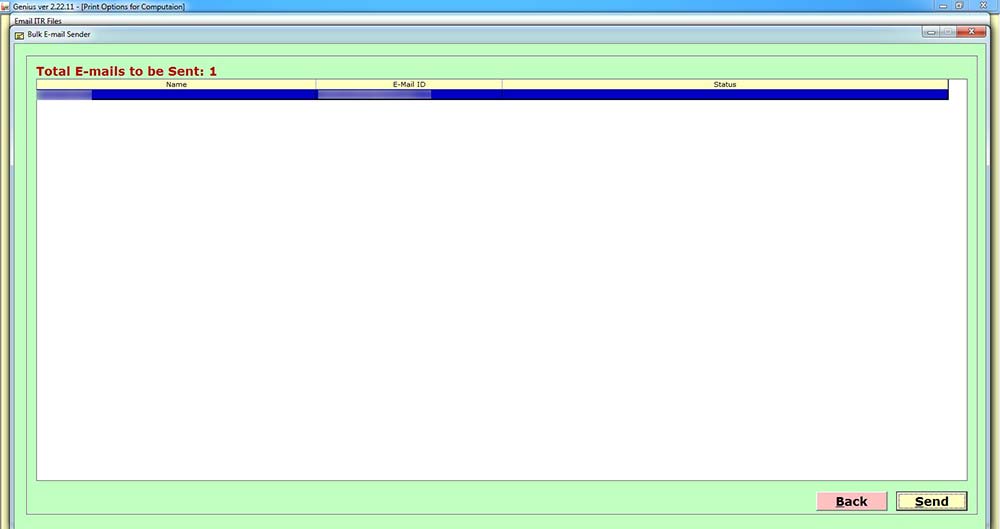
Step 7:- After that click on the Send button and the E-mail will get delivered to the Client.


Comments