

A Full Study of Bulk ITR-V Process Using Genius Software
- knp gst
- Feb 21, 2023
- 2 min read

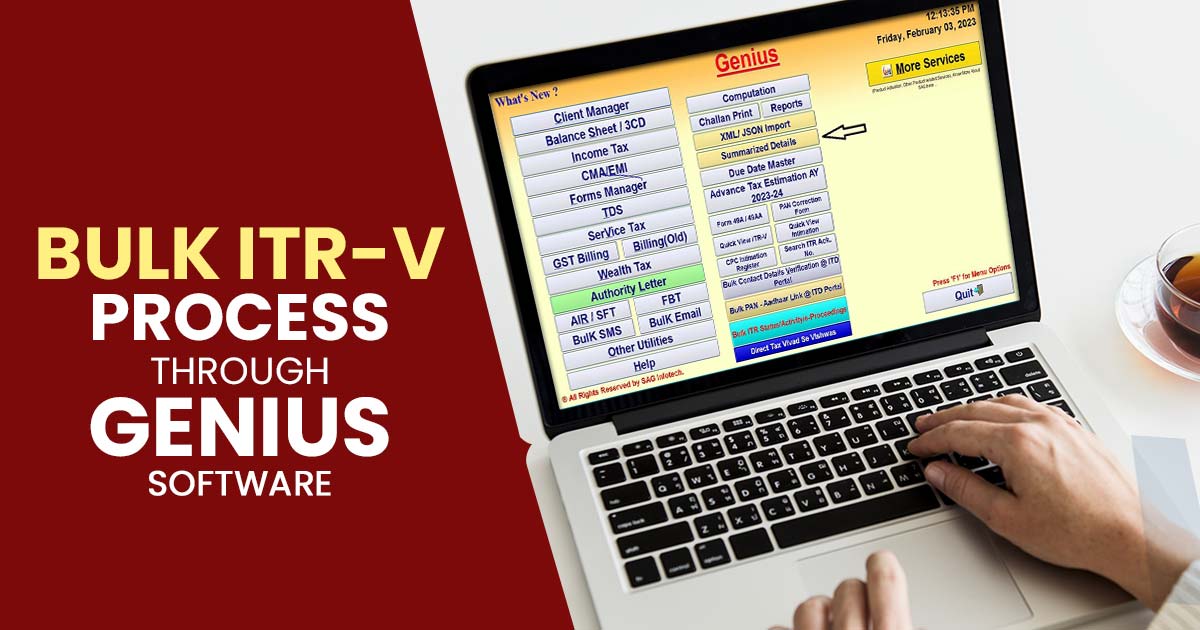
The filing of your Income Tax Return (ITR) is only the first step in the process. It is equally important for the Income Tax Department (ITD) to verify your ITR before processing your return. You can only receive a refund for verified returns. In such circumstances, a belated return will be required if you did not verify your return.
What are the Different Methods for Electronically Verifying ITR Returns?
There are several ways to e-Verify your tax returns online. You may use any of the following methods:
OTP sent to the mobile number registered with Aadhaar
A pre-validated bank account is used to generate your EVC
You can generate your EVC by using your pre-validated Demat account
EVC obtained through an ATM (offline method)
Digital Signature Certificate (DSC)
Net banking
Deadline for E-verification and ITR-V Submission
E-verification or ITR-V submission is required within 30 days of the date of filing an income tax return.
Advantages of the ITR-V Process
Your ITR-V is no longer required to be sent physically to CPC, Bangalore.
You can avoid delays in ITR-V transit by verifying your ITR instantly.
What Makes Genius Software Important For Taxpayers?
Genius is a comprehensive software for tax return filing and management that consists of six different module packages: Gen TDS, Gen BAL, Gen IT, Gen CMA, Form Manager, and AIR/SFT. The software is packed with numerous features that make it easy and convenient for taxpayers to file their income tax returns, including online verification of PAN or TAN, quick ITR upload, the ability to import pre-filled JSON or filled ITR data, and E-payment of Challans. Additionally, the software allows for the importing of AIS, TIS, and 26AS forms, as well as the calculation of MAT/AMT. It also offers various audit forms such as 3CD, 10B, 3CA, 3CB, 10A, and more, making it a one-stop shop for all tax filing needs.
Some of the Best Features of Genius Return Filing Software
Unlimited income and TDS return filing
Whatsapp facility for sending any document & pdf file
E-verify Bulk ITR status and activity
Calculation of advance tax and self-assessment tax
Provides facility to calculate ITR-U
Import and Export Facility for XML/ JSON File
Step-by-Step Guide to Process ITR-V By Genius Software
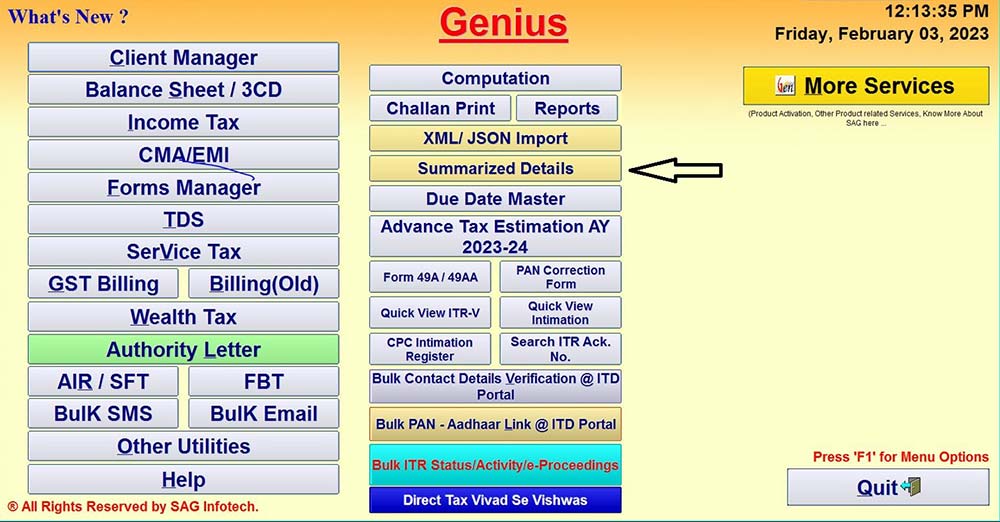
Step 1:- First Install the Genius Tax Return Filing Software after that go to the tab Summarized Details.
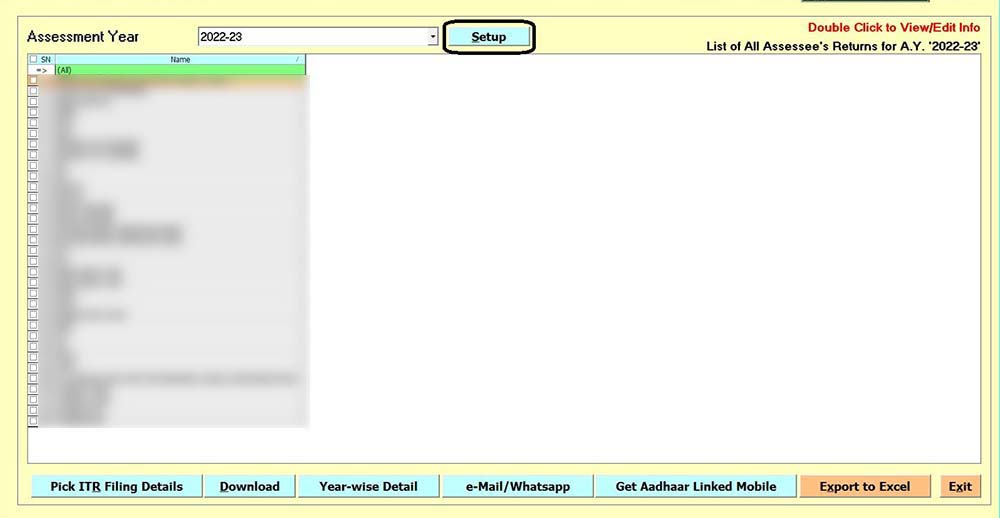
Step 2:- Click on the tab Set up to select the e-verify option.
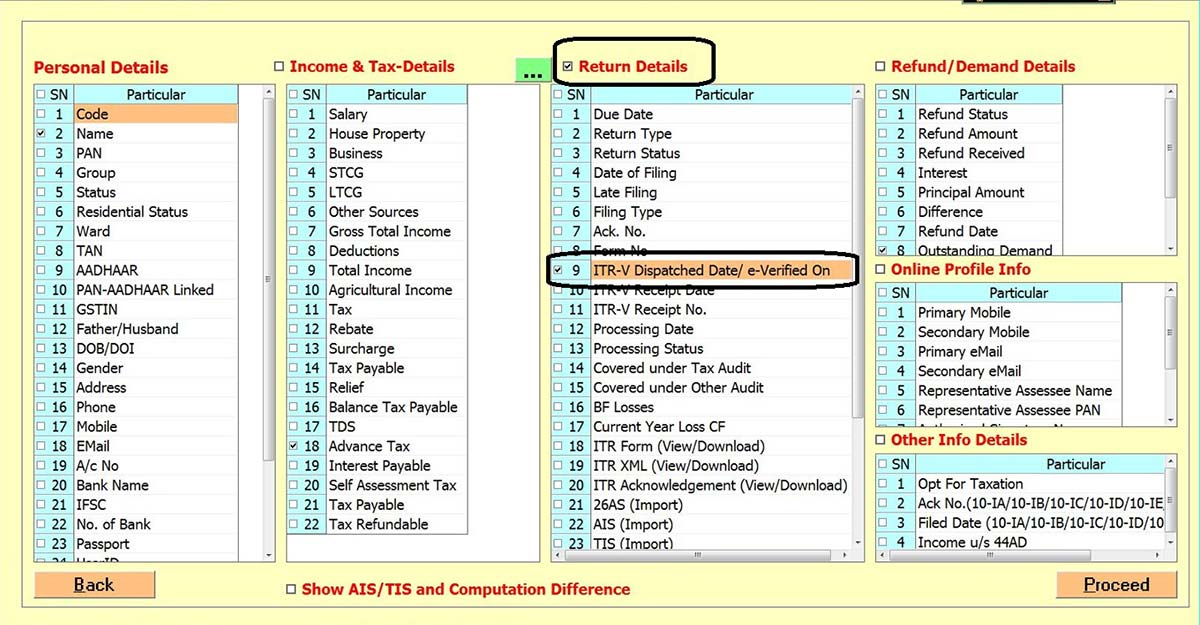
Step 3:- Click on the Return Details tab and then select ITR-V Dispatched Date/e-verified on the tab and then click on proceed tab.
Step 4:- After that select the Client and click on Pick ITR Filing Details.
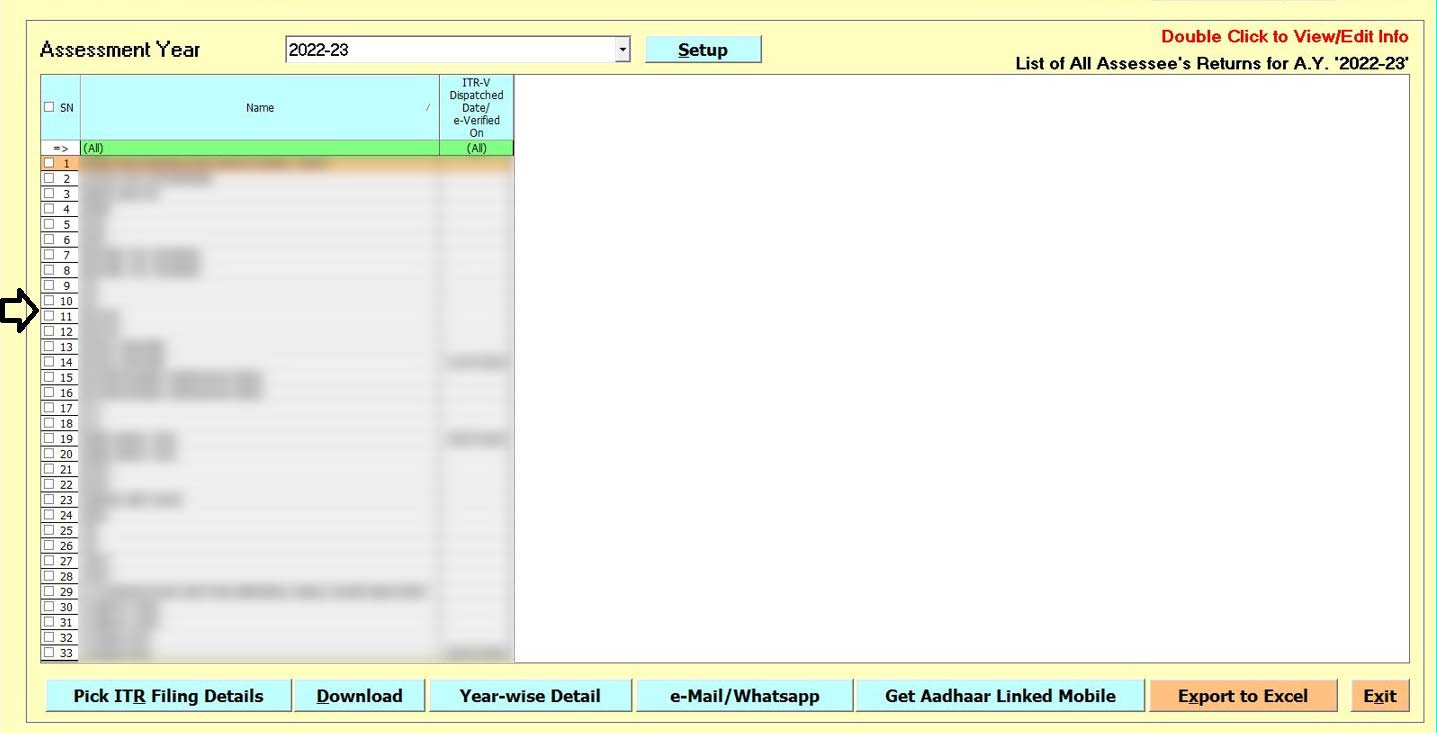
Step 5:- Click on proceed tab.
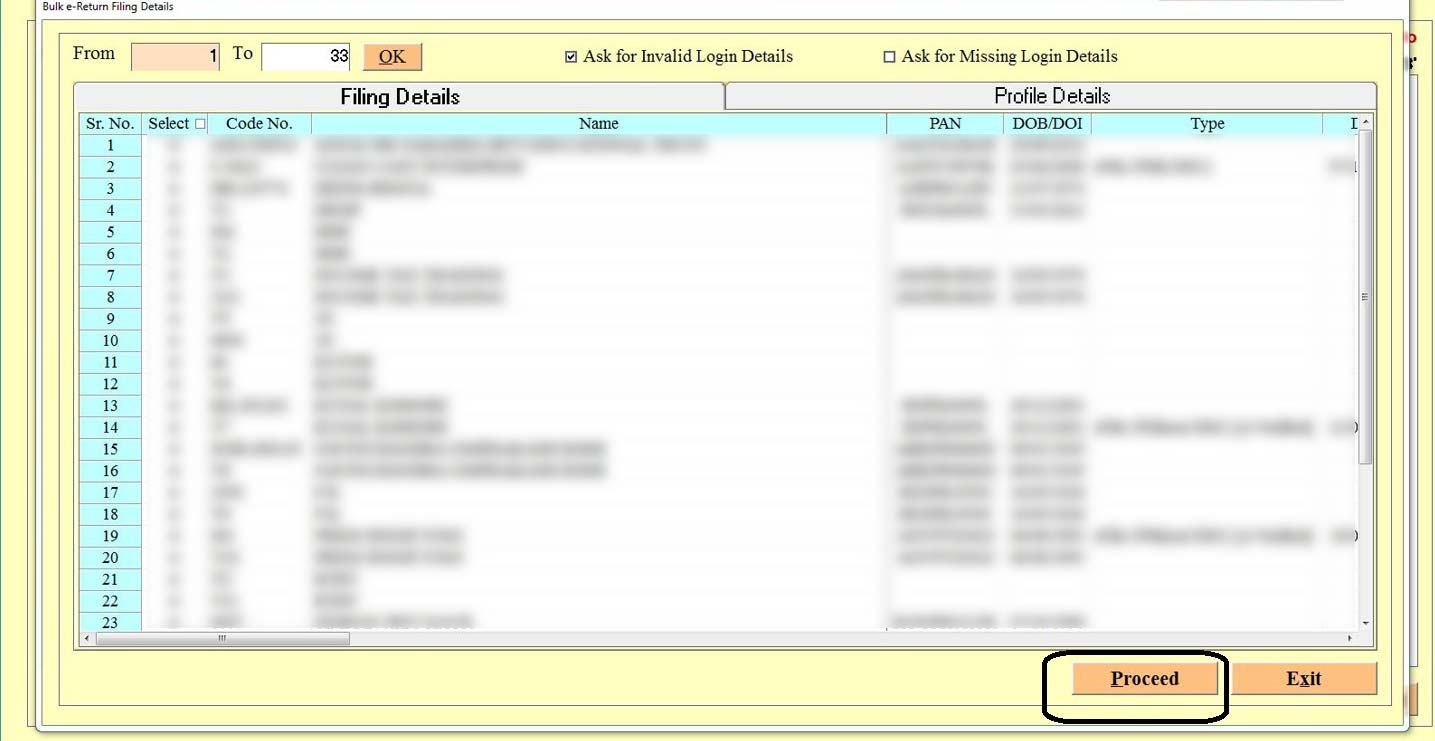
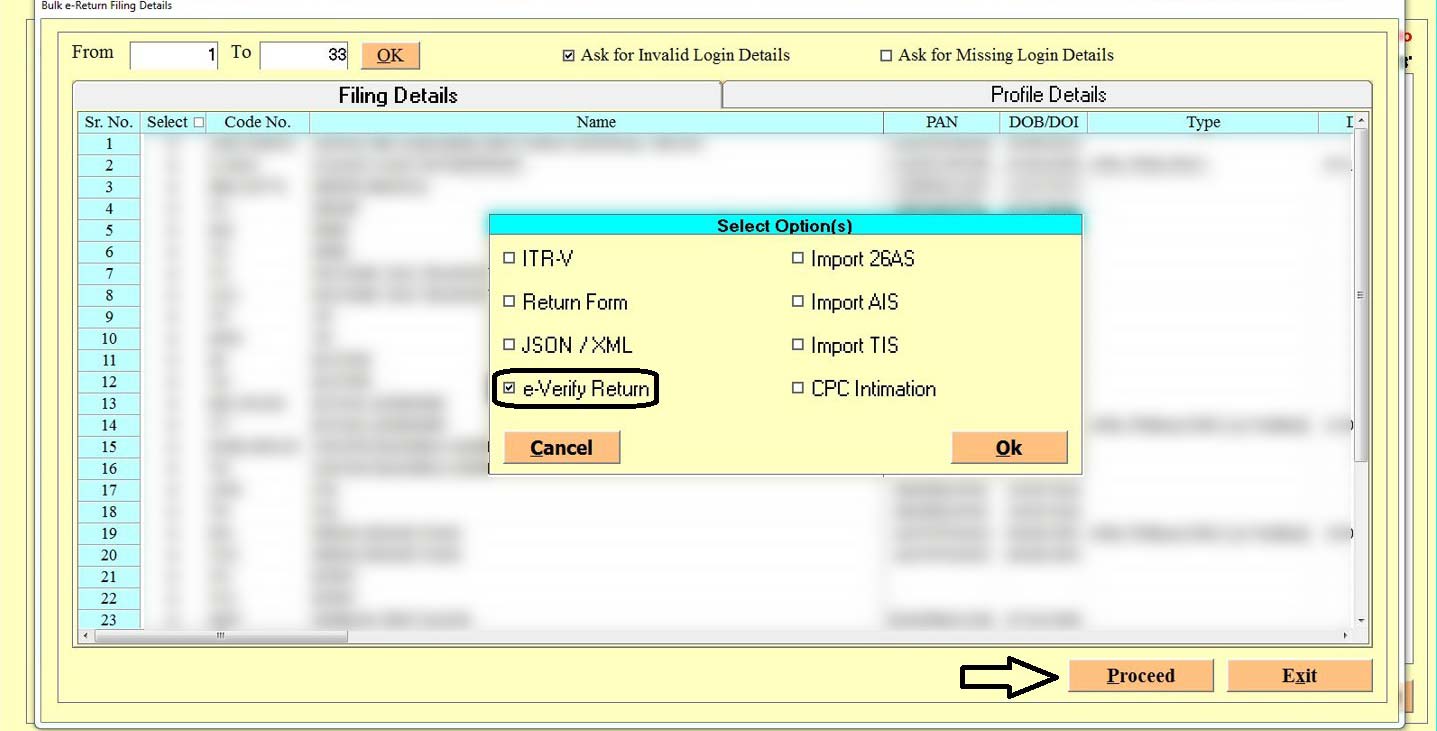
Step 6:- Select the E-verify tab and then click on Proceed Button.
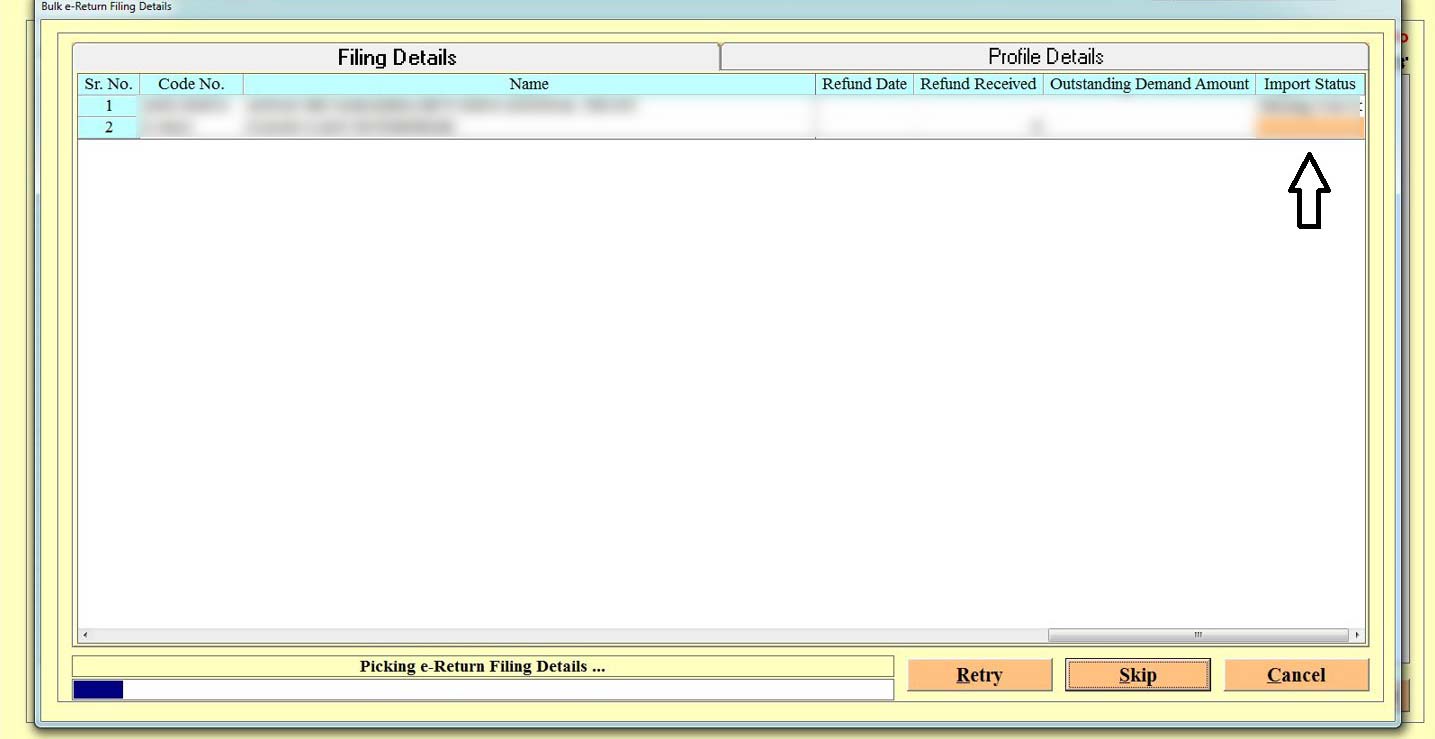
Step 7:- at this page software will show the status that whether it’s verified or not and also gives you the option to e-verify it.


Comments